
User manual





Computer Remote Control
E-12 ProMaster 2500 User Manual
Q2
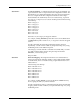
This record contains the index number in hex of the type of device to be
handled. The following device types and their index numbers are
available for handling:
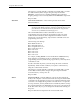
To select a 28-pin PLCC device, send the following Q2 record:
Q20202FB
.
If the index number is 16, the record converts 16 decimal to 10 hex and
looks like this:
Q20210ED
.
The remote computer can download the most current device list
contained in the 2500 by sending an @15 command.
If you need to handle a device type not currently defined, you can use a
Q3 record in place of the Q2 record to define the device type. A Q2 or Q3
record must be present or an error is displayed.
Q3
This record type is used instead of a Q2 record to define a custom device
length. It contains a 4-digit field defining the device length in thousands
of an inch, represented in hex.
The length of a device is defined as the distance between the outermost
extensions of the device (pins included) in the direction of travel through
the 2500’s track. The device length must be represented as an integer
before it is converted to a hex value.
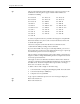
To define a device with a length of .491 inches long:
1. Convert 0.491 into an integer by dividing it by 0.001. The result is 491.
2. Convert 491 (decimal) to 01EB (hex).
3. Complete record =
Q30301EB10
A Q2 or Q3 record must be present or an error message is displayed.
Q4
Reserved for future use.
Q5
Reserved for future use.
01 – PLCC 20 02 – PLCC 28 03 – PLCC 32
04 – PLCC 44 05 – PLCC 52 06 – PLCC 68
07 – PLCC 84 08 – DIP 08 09 – DIP 14
10 – DIP 16 11 – DIP 18 12 – DIP 20
13 – DIP 22 14 – DIP 24 – 0.3” 15 – DIP 24– 0.6”
16 – DIP 28– 0.6” 17 – DIP 32 18 – DIP 28 – 0.3”
19 – SOL 8 20 – SOL 14 21 – SOL 16
22 – SOL 18 23 – SOL 20 24 – SOL 24
25 – SOL 28 26 – SOL 32 27 – SOL 40
28 – SOL 44