
User manual




Repair and Replacement Procedures
ProMaster 2500 User Manual 7-19
Solenoid Replacement
This procedure describes the steps required to remove and replace a
solenoid. You can use this procedure to replace any of the solenoids in the
2500.
Replacing a Solenoid
If a solenoid fails, follow the steps below to replace it.
1. Turn off the 2500 and remove the power cord.
2. Disconnect the source air line and the input air line from the 2500 (as
described on page 2-6).
3. Disconnect the signal cable from the solenoid.
4. Use a small Phillips screwdriver to remove the two screws that
connect the solenoid to the manifold.
Note: As you remove the solenoid, make sure you don’t drop or lose the gasket
that is mounted between the solenoid and the manifold.
5. When you install the new solenoid on the manifold, make sure the
gasket stays in place between the solenoid and the manifold, then
reconnect the signal cable.
Power Supply Replacement
These procedures describe the steps required to remove and replace a
failed power supply.
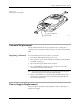
Figure 7-15
Removing the Air Cylinder
2312-1
AIR CYLINDER NUT
AIR CYLINDER