
User manual





Troubleshooting
ProMaster 2500 User Manual 6-5
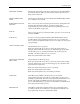
Check to see if the beam up solenoid (4) is functioning properly. Check
the red LED on the solenoid itself (see Figure 5-16) to see if it turns on
during the test. Use a small hex wrench to depress the manual test button
on the side of the solenoid to see if the beam rises. If it does not move up,
check the air pressure or check for leaks in the air line. Replace the
solenoid if necessary.
UNABLE TO RELEASE DEVICE,
PRESS START
Low air pressure may be too low. Confirm that it is set to 40 PSI.
Check the blow off solenoid diagnostic test (test number 5).
Vacuum does not shut off. Check S7 solenoid LED on handler controller
board while running the solenoid test.
Check the vacuum generator solenoid (7) to see if the LED goes on and off
when the test is run.
VERIFY FAIL, PASS X
Low (pass 1) or high (pass 2) verify of the data in RAM with the data in
the device has failed to match.