
User manual






Preventive Maintenance
5-64 ProMaster 2500 User Manual
Track Adjustments
Adjusting Track
Height
You may have to adjust the track height to compensate for the varying
thickness of different device tubes. Use a 50-mil hex wrench to raise or
lower the height of the track. Follow the steps below.
1. Insert the 50-mil hex wrench into one of the track height adjustment
screws (see Figure 5-27).
2. Turn the track height adjustment screw clockwise to raise the track
height, or counterclockwise to lower the track height.
Adjusting the Angle of
the Track Walls
The entrance to the input track should be approximately 0.010 inch wider
than the pick-up point of the input track. The exit point of each output
track should be approximately 0.010 inch wider than the pick-up point of
the input track. If the 2500 is having difficulty picking up a device from
the input track or if devices flip up during operation, you may need to
perform a funnel adjustment.
To perform a funnel adjustment, follow the steps below.
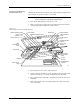
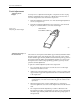
1. Use a 3/32-inch hex wrench to loosen the set screws on the input
track front wall and rear wall.
2. Adjust each of the input track walls evenly to create a gap at the pick-
up point that is approximately 0.010 inch narrower than the entrance
to the input track.
Note: You may want to use a caliper to ensure that the gap at the pick-up point
is approximately 0.010 inch narrower than the gap at the entrance to the
input track.
3. When the input track is correctly adjusted, use a 3/32-inch hex
wrench to tighten the set screws on the input track front wall and rear
wall.
4. The output track funnel adjustment procedure is identical to the
input track procedure, except that the exit point of each output track
should be approximately 0.010 inch wider than the pick-up point of
the input track.
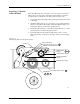
Figure 5-27
Adjusting the Track Height
2288-1
TRACK HEIGHT
ADJUSTMENT SCREW