
User manual






Preventive Maintenance
ProMaster 2500 User Manual 5-57
Programming Module
Remove the programming module from the 2500, and blow compressed
air into the programming module before the start of every Task or after
every 1,000 devices, whichever occurs first.
Dot Matrix Printer Label
Path
To ensure continued proper functioning of the dot matrix printer, you
must keep the label path clean. An accumulation of dirt and debris along
the label path can lead to jams at the print head and a decline in print
quality. You can prevent this problem by regularly cleaning the label
path.
Clean the dot matrix printer’s label path, including the application plate,
platen, press bearings, rubber rollers, and optic dust guards.
Application Plate
Wipe both the top and underside of the application plate and the press
bearings with a clean, dry cloth. If there is a substantial build-up of label
debris, you may want to dampen the cloth with Isopropyl alcohol.
Rubber Pinch Rollers
Wipe the rollers with a clean cloth dampened with a mild cleaning
solvent. Ink and adhesives from the label backing collect on the roller and
may cause the label stock passing through the rollers to slip, resulting in
poor print quality.
Thermal Printer Label Path
Each time you change labels in the thermal printer, clean the label path
(including the application plate, press bearing, and rubber rollers) with a
mild cleaning solvent.
Ribbon Path
Wipe the rubber rollers in the ribbon path with a clean cloth dampened
with a mild cleaning solvent.
Application Plate
Wipe both the top and underside of the application plate and the press
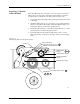
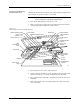
bearings (see Figure 5-14) with a clean cloth dampened with a mild
cleaning agent.
Rubber Pinch Rollers
Wipe the rollers with a clean cloth dampened with a mild cleaning
solvent.
Thermal Print Head
Use a cotton swab dampened with a mild cleaning solvent to gently clean
the print head. Clean the print head after printing 25,000 labels, or more
frequently if the print quality becomes less distinct.
CAUTION: Do not use any sharp or abrasive objects near the print head
to avoid accidentally damaging components on the head.
Replacing the Dot
Matrix Printer
Ribbon Cassette
When the print becomes too light (after approximately 50,000 labels),
change the labeler ribbon cassette by following the procedure below.
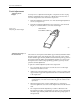
1. Grasp the cassette on both sides and gently pull it off both spring
clips and past the print head (see Figure 5-23).