
User manual




Preventive Maintenance
5-30 ProMaster 2500 User Manual
Diagnostics
The Diagnostics option allows you to run the diagnostic tests. Refer to
Figure 5-10 for the Diagnostic command tree and refer to Appendix C for
the 2500 wiring diagram and a diagram of the handler controller board
layout.
Put the 2500 in local mode to access the Diagnostics menu. Press
4
from
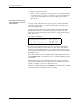
the Main Menu. The following Diagnostic menu appears:
Running Diagnostic
Tests with the Hood
Up
A safety interlock switch is located behind the hood to detect when the
hood is raised. To eliminate the risk of possible injury to the operator, the
2500 will not run any motor operations that move the beams, shuttles, or
the laser shutter while the hood is raised. Some of the solenoid and motor
tests require close observation of handler components located under the
hood while they are moving to perform specific operations. While these
diagnostic tests are run, the hood must be raised so service personnel can
position themselves to observe and evaluate the operation.
Figure 5-10
Diagnostics Command Tree
1 - OPTIC TEST 5 - PRINT TEST
2 - SOLENOID TEST 6 - KEY/DISP. TEST
3 - MOTOR TEST 7 - EEPROM TEST
4 - CYCLE PARTS 8 - COMMUNICATIONS
SYSTEM
SETUP
MAIN MENU
FILE
UTILITIES
OPERATIONS
1320-2
Optic Test
Solenoid Test
Motor Test
Cycle Parts
Print Test
Key/Display Test
EEPROM Test
Communications
DIAGNOSTICS