
User manual







Operation
4-26 ProMaster 2500 User Manual
If you start a Task with an incorrect number in the Parts/tube field, press
STOP
and then
LOWER CASE
+
T
. Enter the correct number. Press
ENTER
and then
START
to continue running the Task.
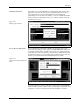
This screen also indicates where TaskLink expects device pin 1 to be
located when the device is in the input track. This is critical for correct
device handling and insertion in the programming module socket. Make
certain that your device matches this positioning. Refer to page 4-22 for
more information on installing devices in the input tube holder.
The system automatically downloads the data file defined in your Task or
prompts you to insert a master device.
If the Task asks you to load RAM data from a master device, TaskLink
prompts you to insert the master device to be loaded. Place the device in
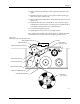
the input track, against the programming station stop guide. Be careful to
observe the correct orientation of pin 1.
Close the hood. The 2500 detects the device, picks it up, inserts it in the
programming module, and loads the device’s data into RAM.
After the load, the master device is set in the left device recess near the
labeler.