
User manual




Operation
ProMaster 2500 User Manual 4-5
Starting the 2500
System
The system has been configured to power up in remote mode, ready to
communicate with TaskLink. To start the system, follow this brief
procedure:
1. Turn on the 2500. The 2500 will power up in remote mode.
2. On your PC, move to the directory where TaskLink is installed.
3. On your PC keyboard from the DOS prompt enter
tl
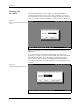
The main TaskLink screen is displayed.
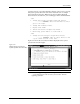
Figure 4-2
TaskLink Operator Screen