
User`s manual




Genie HM Series-GigE Vision Camera Installing the Genie Camera • 25
Optimizing the Network Adapter used with Genie
Most Gigabit network interface controllers (NIC) allow user modifications to parameters such as Adapter Buffers
and Jumbo Frames. These should be optimized for use with the Genie during the installation.
Adapter Buffers (receive descriptors)
Under certain conditions the host PC system CPU may be very busy with tasks other than the imaging application.
Incoming image packets remain in the PC memory allocated to store packets instead of immediately being copied
into the image buffer. By increasing the NIC host buffers, more incoming image packets can be stored by the NIC
before it must start discarding them. This provides more time for the PC to switch tasks and move image packets to
the image buffer.
Not all network boards allow increasing their buffer count and even among those that do, such as the Intel NIC,
different versions will have different maximum receive descriptor values. Refer to the NIC user documentation for
details on configuring this parameter. The procedure in the following section shows how to increase the number of
packet buffers for one version of Intel network adapter.
Jumbo Frames
With good gigabit Ethernet connections with minimal packet resend conditions, host computer performance can be
further improved by increasing the data packet size. Each streaming video packet causes an interrupt in the host
computer. Therefore increasing the packet size reduces the CPU usage percentage required to handle video data
from Genie.
Important: Before the Genie application can set the Genie feature "Packetsize" to a larger data packet, the NIC used
with the Genie must be configured to allow Jumbo Frames. The procedure in the following section describes
increasing the size of Jumbo Frames for one version of Intel network adapter.
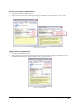
The screenshot below shows that the Genie device was found and there is no IP conflict. The Maximum Packet Size
field is highlighted in yellow, indicating that Jumbo Frames are not enabled on the NIC used with the Genie or that
the control application is forcing a safe packet size. Using a larger packet size improves host CPU performance,
which can be critical when using multiple Genie devices. Note that the Maximum Packet Size field is updated only
when an application such as CamExpert communicates with the Genie.