
User`s manual




Genie HM Series-GigE Vision Camera Troubleshooting • 143
Camera acquisition is good but frame rate is lower than expected
• While running CamExpert and grabbing in free-run mode at the maximum frame rate, start the Sapera
Monitor tool from the Sapera Tools installed with Sapera.
• Make sure the Memory Overflow event monitor is enabled.
• Continue grabbing from the Genie at maximum frame rate. If any memory overflow events are counted,
then the Genie internal buffer could not be transmitted on time and was discarded. Such a condition may
occur with large frame color or high frame rate Genie cameras.
• Verify that network parameters are optimal as described in "
CamExpert GigE Vision Parameters" on page
74. Ensure the host computer is not executing other network intensive tasks. Try a different Gigabit NIC or
a PCI Express bus version.
Camera is functional, frame rate is as expected, but image is black
• Verify that the lens iris is open.
• Aim the Genie at a bright light source.
• Check that the programmed exposure duration is not too short or set it to maximum. See "
Exposure
Controls" on page 49.
• Using CamExpert set the Genie to output its Internal Pattern Generator. This step is typically done for any
camera installation to quickly verify the Genie and its software package. See "
Internal Image Test Patterns"
on page 71 for information on using CamExpert to select internal patterns from Genie.
Grab has Random Bad Data or Noise
The problem is seen as random noise and missing sections of video data from the acquisition. All configuration
parameters seem correct and the Ethernet cable is secure. In general this legacy issue is not seen anymore due to
better NIC products used in current computers, but the checks and solutions described below remain valid if the
symptoms occur.
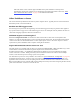
The following image shows an example of this type of bad acquisition while testing a Genie installation with
CamExpert (with the Genie set to generate its internal test pattern).
Following are various examples of this data transmission problem. The solutions vary but commonly involve
reducing the maximum packet size claimed by the NIC used.
Grab has Random Bad Data or Noise – Case 1
• This problem has been seen on some computers where the NIC used does not fully support passing the
maximum jumbo frame possible from the Genie.
• In the NIC configuration, keep the jumbo frame size set to the maximum allowed. See "
Optimizing the
Network Adapter used with Genie" on page 25.
• Using CamExpert, test for a good acquisition by reducing the Genie packet size used. See "
CamExpert GigE
Vision Parameters" on page 74. Also check for packet resend messages with the Sapera tool "Log Viewer".