
User`s manual




Genie HM Series-GigE Vision Camera Troubleshooting • 135
GigE Server Warning Example 1a: IP error with multiple NICs
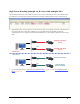
The screenshot below shows an IP conflict error due to two (or more) NICs that are all set to LLA mode. In this
case both NICs are assigned the same IP subnet address preventing communication with any connected Genie.
• When multiple NICs are used, only one can be set to LLA mode. A second NIC connected to Genie must use
the persistent IP mode or must have a DHCP server on that subnet (note that the DALSA Network
Configuration Tool can configure the DALSA Smart DHCP Server). The following illustration shows such a
setup.
Default LLA mode
(error)
Default LLA mode
(error)
Default LLA mode
DALSA DHCP
Server enabled
setup error
valid setup
NIC 1
NIC 2
NIC 1
NIC 2
• For more information see "
Using Genie with Ethernet Switches" on page 93, and "IP Configuration Mode
Details" on page 93.