
Setup guide


Description
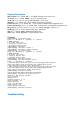
• The farsync interface does not show up under the interface list
Obtain the required license for synchronous feature
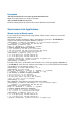
• The synchronous link does not work
Check the cabling and the line between the modems. Read the modem manual
Synchronous Link Applications
Wandy router to Wandy router
Let us consider the following network setup with two Wandy routers connected to a leased line
with baseband modems:
The interface should be enabled according to the instructions given above. The IP addresses
assigned to the synchronous interface should be as follows:
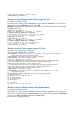
[admin@Wandy] ip address> add address 1.1.1.1/32 interface farsync1 \
\... network 1.1.1.2 broadcast 255.255.255.255
[admin@Wandy] ip address> print
Flags: X - disabled, I - invalid, D - dynamic
# ADDRESS NETWORK BROADCAST INTERFACE
0 10.0.0.254/24 10.0.0.254 10.0.0.255 ether2
1 192.168.0.254/24 192.168.0.254 192.168.0.255 ether1
2 1.1.1.1/32 1.1.1.2 255.255.255.255 farsync1
[admin@Wandy] ip address> /ping 1.1.1.2
1.1.1.2 64 byte pong: ttl=255 time=31 ms
1.1.1.2 64 byte pong: ttl=255 time=26 ms
1.1.1.2 64 byte pong: ttl=255 time=26 ms
3 packets transmitted, 3 packets received, 0% packet loss
round-trip min/avg/max = 26/27.6/31 ms
[admin@Wandy] ip address>
Note that for the point-to-point link the network mask is set to 32 bits, the argument network is set
to the IP address of the other end, and the broadcast address is set to 255.255.255.255. The default
route should be set to the gateway router 1.1.1.2:
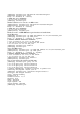
[admin@Wandy] ip route> add gateway 1.1.1.2
[admin@Wandy] ip route> print
Flags: X - disabled, I - invalid, D - dynamic, J - rejected,
C - connect, S - static, R - rip, O - ospf, B - bgp
# DST-ADDRESS G GATEWAY DISTANCE INTERFACE
0 S 0.0.0.0/0 r 1.1.1.2 1 farsync1
1 DC 10.0.0.0/24 r 10.0.0.254 1 ether2
2 DC 192.168.0.0/24 r 192.168.0.254 0 ether1
3 DC 1.1.1.2/32 r 0.0.0.0 0 farsync1
[admin@Wandy] ip route>
The configuration of the Wandy router at the other end is similar:
[admin@Wandy] ip address> add address 1.1.1.2/32 interface fsync \
\... network 1.1.1.1 broadcast 255.255.255.255
[admin@Wandy] ip address> print
Flags: X - disabled, I - invalid, D - dynamic
# ADDRESS NETWORK BROADCAST INTERFACE
0 10.1.1.12/24 10.1.1.12 10.1.1.255 Public
1 1.1.1.2/32 1.1.1.1 255.255.255.255 fsync
[admin@Wandy] ip address> /ping 1.1.1.1
1.1.1.1 64 byte pong: ttl=255 time=31 ms
1.1.1.1 64 byte pong: ttl=255 time=26 ms
1.1.1.1 64 byte pong: ttl=255 time=26 ms
3 packets transmitted, 3 packets received, 0% packet loss