IP Phone 2004 with KEM User Guide
Manuals
Brands
Cypress Manuals
IP Phone
2004
11
12
13
14
15
16
17
18
19
20
16
Logging
o
ff
19
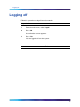
Logging
off
F
ollow
this
procedure
to
log
off
from
the
network.
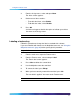
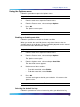
Step
Action
1
F
rom
the
main
menu,
select
Logoff
.
2
Press
Ok
.
A
confir
mation
screen
appears.
3
Press
Ye
s
.
Y
ou
are
logged
off
from
the
system.
—End—
12
1
...
...
10
11
12
13
14
...
...
54