
- iAUDIO M3 User's Guide


iAUDIO M3
42
iAUDIO M3
43
Converting Audio CD Tracks to MP3 Files and Directly Downloading Them to iAUDIO
Converting Audio CD Tracks to MP3 Files and Directly Downloading Them to iAUDIO
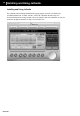
With JetShell, you can easily convert your Audio CD into MP3 les and download them to iAUDIO.
Since the Audio CD tracks are digitally converted to MP3 without transforming them to wave les rst,
the speed is very fast.
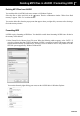
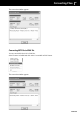
1. Before getting started, you must choose the quality of the MP3 les to create. Click [Setup] –[MP3
Encoder Option] to set the desired bit rate of the MP3 les. (The les compressed in a high bit rate
have a higher sound quality and a bigger le size.)
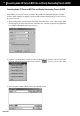
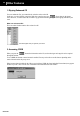
2. From the ‘File Management’ section, select the CD-ROM drive in which the Audio CD is inserted.
Select the audio tracks from the right window and click or [File] –[Convert CD to MP3]
from the menu.
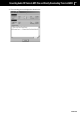
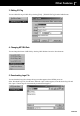
3. Specify the path ‘iAUDIO’ (Mobile Disk) to save the MP3 les in.