
Programming instructions




8
1409
DISPLAYING ‘‘TOTALS’’ (DISPLAYED CYCLES
AND HOURS TOTALS) ONTO MESSAGE
DISPLAY
(see Tables 1 and 5)
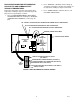
‘‘TOTALS’’ (DISPLAYED CYCLES AND HOURS TO-
TALS) may be displayed on message display as follows:
1. Refer to PROGRAMMING MAIN MENU SELEC-
TIONS ONTO MESSAGE DISPLAY and bring up
the word ‘‘CLOCK’’ on message display.
2. Repeatedly press and release ‘‘CANCEL DE-
FROST’’ (ADVANCE) switch to advance through
main menu until ‘‘TOTALS’’ menu appears on mes-
sage display. Press ‘‘DEFROST’’ (SELECT) switch
to lock ‘‘TOTALS’’ menu in place. The word ‘‘COMP
HRS’’ will appear on message display.
3. Press and Hold ‘‘DEFROST’’ (SELECT) switch.
Compressor run hours will appear on message dis-
play.
4. Press ‘‘CANCEL DEFROST’’ (ADVANCE) switch to
advance and bring up ‘‘COMP CYC’’ on message
display.
5. Press and hold ‘‘DEFROST’’ (SELECT) switch.
Compressor cycles x100 will appear on message
display.
6. Use CANCEL DEFROST (ADVANCE) switch to ad-
vance through remaining ‘‘TOTALS’’ (DISPLAYED
CYCLES AND HOURS TOTAL MENU) see Table 5.
Press ‘‘DEFROST’’ (SELECT) switch to obtain mes-
sage display readings of the individual menu selec-
tions.
7. Press ‘‘ERROR RESET’’ switch two times to exit
from MENU SELECTIONS.
8. Install Unit upper control box cover and top
cover.
DISPLAYED ERROR CONDITIONS
Displayed error conditions, associated errors, and items
affected by the errors are found in TABLE 6. DISPLAYED
ERROR CONDITIONS.