
User's Manual


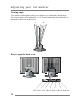


Adjusting your lcd monitor
7
Connecting your monitor
Be sure to turn the computer off before connecting the monitor
Cable connections
g Connect the Video cable or S-Video cable to your DVD,VCR or camcorder.
g
Connect the video signal cable (15Pin connector) to the system’s VGA
connector which is located on the back panel of the computer.
g
Connect the power adaptor cord to the monitor and then to the power supply.
g
Insert the audio out jack to the ear phone jack and insert the audio in jack to the
sound card port at the back of the computer, DVD or VCR.
g
After powering on the computer, DVD or VCR, adjust the display using the
various controls provided. For further information on the installation procedure,
please refer to the operating guide of the computer being used.