
Instruction Manual





DVR User Manual
15
Step 2: In this interface, enable daylight saving time, time offset, mode, start & end
month/week/date, etc.
Step 3: Click “Apply” button to save the setting.
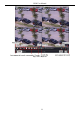
Fig 4-5 Basic Configuration-DST
4.2 Live Configuration
Live configuration includes four submenus: live, main monitor, spot and mask.
4.2.1 Live
In this interface, you can setup camera name and adjust colors.
To setup camera name:
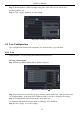
Step 1: Enter into MenuSetupLive. Refer to Fig 4-6:
Fig 4-6 Live ConfigurationLive
Step 2: A software keyboard will pop up by clicking camera name area. Click the letters and
(or) digital numbers on the keyboard to input the name you want to display in live image.
Step 3: Checkmark the camera name in the show name area.
All channels will show the camera name by checking “All” checkbox.
Step 4: Click “Apply” to save the setting.