
Technical data


CHALLENGE/Onyx Diagnostic Road Map 4-7
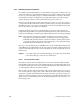
The area and possible solution for each error message in the previous table is general by
default. To obtain more specific information, you can follow three possible paths:
• Swap out the suspected faulty FRU and power on the system again.
• Plug your laptop into the system console port (Port 1) and probe for more specific
fault information. Note that if the fault lies in the IO4 or IO4 pathway, you may be
unable to access the system console port
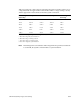
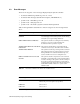
-12 VDC LOW WARNING Same as above.
48 VDC HIGH WARNING Same as above.
48 VDC LOW WARNING Same as above.
POWER CYCLE The System Controller receives a command to perform a
power-off, followed by a power-on, from the System
Controller serial port.
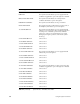
Error Message Failure Area/Possible Solution
AMBIENT OVER TEMP The System Controller detects an overtemperature
condition. An alarm is sent to the CPU and five seconds
later the System Controller initiates the power-off sequence.
BLOWER A FAILURE The System Controller detects a fan problem. An alarm is
sent to the CPU and five seconds later the System Controller
initiates the power-off sequence (rackmount systems only).
BLOWER B FAILURE Same as above (rackmount systems only).
BLOWER FAILURE Same as above (deskside systems only).
BLOWER A RPM FAIL The System Controller detects a fan not at speed. An alarm
is sent to the CPU and five seconds later the System
Controller initiates the power-off sequence (rackmount
systems only).
BLOWER B RPM FAIL Same as above (rackmount systems only).
BLOWER RPM FAILURE Same as above (deskside systems only).
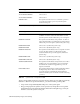
TEMP SENSOR FAILURE The System Controller detects a temperature sensor with a
reading so far out of range that the sensor is assumed to
have failed. The condition is logged but no power-off
sequence is initiated.
FP BUTTON STUCK The System Controller detects a status panel button stuck in
the depressed position. After a 30-second wait, the
power-off sequence is initiated (the depressed button
interferes with the System Controller’s normal monitoring
operation).
Table 4-3 System Events
– Delayed Power-Off
Error Message Failure Area/Possible Solution
Table 4-2 (continued) System Events – Immediate Power-Off