
Technical data

2-38 Diagnostic Procedures
2.7.7 IP19 EAROM Corruption
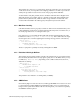
There is an EAROM for each CPU on an IP19 board. A board problem, in IP19 boards
earlier than -008 (-008 is fixed), could occasionally alter the EAROM at power-on. The fixed
board also contains an EAROM updated with a checksum.
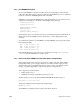
With IRIX 5.1 or later, the IO4 PROM Version 1.09 automatically corrects common cases of
corruption. It also displays a checksum of all EAROMs, in this message:
Starting processor #1
Starting processor #2
...
Comparing EAROM checksums...
EAROM checksums:
092e 092e 092e ...
Checking hardware inventory...
The checksum values are 16 bit hex in the processor numbering sequence. With the fixed
IP19 board, where the EAROM contains a checksum, no value is displayed (it is just
verified).
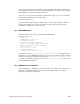
To confirm that a system has good EAROMs, record the PROM boot messages and compare
them against this table:
R4400 100MHz, 1M Scache: 092e
R4400 150MHz, 1M Scache: 086b
R4400 100MHz, 4M Scache: 0930
R4400 150MHz, 4M Scache: 086d
If the IO4 PROM Version 1.09 or later does not display the message Comparing EAROM
checksums
, then the EAROMs have tested as good.
2.7.8 Ebus Parity Error/POKB Error Due to Backplane Voltage Droop
This problem produces the same message sequence as MC3 clock jitter. With a sudden
burst of Ebus traffic, a power supply can take up to 3 milliseconds to supply enough
current. In this period, a backplane termination voltage can droop, reducing noise the
margin, or possibly triggering the System Controller low-voltage detector.
This voltage droop results in either
• an Ebus parity error, or
• a POKB error (causing an immediate system power-off).
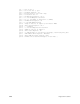
An Ebus parity error shows up in the HARDWARE ERROR STATE messages as
Parity Error on Data from D-chip
along with an MC3 board showing the following message:
My EBus Data Error
The POKB error is displayed on the System Controller front panel.