
Technical data

CHALLENGE/Onyx Diagnostic Road Map 2-33
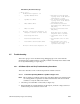
2. Enter the following command at the DBG prompt:
stop
3. Next, enter the cpu command to display a list of processors:
cpu
You should see a list of stopped processors. Normally, all of the CPUs in the system
should be listed. A hardware hang problem often shows up as a processor missing
from this list. If this is the case, suspect a problem with the CPU.
IP19 only: If a CPU is missing from the hardware list and the IP19 board is not at
revision -007 or later, it is especially likely a CPU problem.
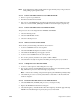
4. If all the CPUs are listed, enter the following commands at the DBG prompt:
hwstate
pb
The pb command displays the last few kernel messages from the putbuffer. Look for
any messages that indicate a stack underflow or stack overflow. These suggest a
software problem rather than a hardware problem. Also, enter this command:
ubt
Reporting the results of the ubt command can help find the cause of stack overflows.
5. If the ubt stack backtrace shows the function trap(0xffffxxxx, ...), enter the efr
command using the first argument to trap:
efr 0xffffxxxx
2.5.5 Procedure to Cause a Hung System to Enter POD Mode
Use this procedure when the system does not respond to a single NMI.
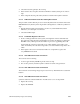
1. At the System Controller front panel, turn the key switch to the On position.
2. Press and hold the two center buttons and simultaneously turn the keyswitch to the
Manager position (full clockwise).
3. Release the two center buttons.
4. Press the Menu button, and scroll to the Debug Settings menu entry (which does not
appear until the preceding steps are performed).
5. Press the Execute button.
6. At this point, sixteen debug switch bits are displayed. The bit number of the cursor is
at the right side of the screen. Use the two center buttons to move the cursor to bit 4,
then use Execute to toggle it to 1. Move the cursor to bit 5 and use Execute to toggle it
to 1.
7. Press the Menu button to finish. The Debug Settings option disappears.
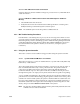
8. Reset the system from the front panel. The system should automatically enter POD
mode and you should see the POD mode prompt:
pod >>