
Technical data


CHALLENGE/Onyx Diagnostic Road Map 6-3
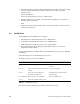
After setting the report level, choose a test mode (if desired). The following modes are
available:
quickmode
Runs the tests slightly faster than usual. Note that currently there is little
difference in testing time with quickmode enabled.
To enable quickmode, enter
setenv quickmode 1
To disable quickmode, enter
unsetenv quickmode
continue-on-error
Normally, IO4 tests stop after the first error. Enabling continue-on-error
mode causes the tests to continue even after an error is encountered.
To enable continue-on-error mode, enter
setenv cont_on_error 1
To disable continue-on-error mode, enter
unsetenv cont_on_error
By default, continue-on-error mode is enabled for most of the tests.
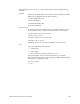
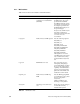
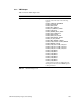
io_all
The io_all command runs all tests that
• work properly
• work reliably
• do not require any operator intervention to run
This command does not run any IO4 tests that are not completely
functional, that are not known to be completely reliable, and that require
the operator to interpret the results.
To use io_all, enter
io_all