
Technical data


CHALLENGE/Onyx Diagnostic Road Map 6-1
Chapter 6
6. Interactive Diagnostics Environment (IDE)
6.1 Overview
This chapter describes the Everest board tests that are presently supported by the
interactive diagnostics environment (IDE) and explains the various types of error
messages.
6.1.1 Available IDE Tests
The general sets of IDE tests are:
• IO4 tests, described in Section 6.3, “IO4 IDE Tests”
• IP19 tests, described in Section 6.4, “IP19 IDE Tests”
• MC3 tests, described in Section 6.5, “MC3 IDE Tests”
Error message syntax is described in Section 2.6, “Error Message Syntax.”
Note: At the time this guide went to press for the -030 revision, the IP21 IDE diagnostics
were not available.
The following section describes the steps to run an IDE test.
6.2 Running an IDE Test
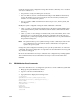
The steps to run an IDE test are:
1. Shut the system down (if it is not shut down already).
2. Run diagnostics by selecting option 3 (Run Diagnostics) from the startup screen, or by
using the Command Monitor to boot /stand/ide.
3. Set the desired test level. By changing the test level, you can see varying amounts of
detail as each test runs. To set a report level, enter
report=
N
In the above command, N is the desired report level (1-5). The available test levels and
the default test levels are described in the specific board-test sections.