
Technical data

CHALLENGE/Onyx Diagnostic Road Map 5-11
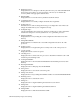
13. Reading inventory...
Displayed before we attempt to read the system inventory out of the IO4 NVRAM. If
the inventory is invalid or we cannot read it for some reason, we initialize the
inventory fields with appropriate default values.
14. Running BIST...
Displayed before we run the memory hardware’s built-in self test.
15. Configuring memory...
Displayed before we actually configure the banks into a legitimate.
16. Testing memory...
Printed before we start executing the memory post-configuration tests. These tests
simply check that memory was configured correctly.
17. Testing Bus Tags...
Checks and initializes the CC bus tags, which are used by the CC chip to determine
whether it should pass a coherency transaction on to a particular processor.
18. Writing CFGINFO...
Displayed before we try writing the everest configuration information into main
memory.
19. Initing MPCONF blk...
Displayed before we initialize the everest MP configuration blocks for all of the
processors.
20. Testing S Cache...
Displayed before we begin testing the secondary cache on all of the processors.
21. S Cache passed...
Displayed when the S cache test passes.
22. Checking slaves...
Displayed when we check each slave processor to determine whether it is alive and
whether it passed its diagnostics.
23. Loading IO4 PROM...
Displayed when we download the IO4 PROM from the IO4 flash proms into main
memory.
24. Entering IO4 PROM...
Displayed when we first jump into the IO4 PROM.
25. Sizing caches...
Displayed when we execute the cache sizing code.
26. Initing environment...
Displayed when we try reading the NVRAM variables out of the IO4 PROM NVRAM.
27. Reiniting caches...
Displayed when we recheck the caches.
28. Initing saio...
Displayed when we begin initializing the stand-alone I/O routines.
29. Initing SCSI...
Displayed when we begin initializing the WD95 SCSI driver.
30. Initing UART...
Displayed when we initialize the IO4 EPC UART.