
Manual

81
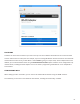
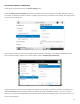
Locaons are entries that are saved in your unit so that you can store network informaon for various environments
and not need to enter it in every me. For example, if you are moving NX between venues and want to store the stac
IP informaon for each venue, you will dene a new “” (giving it a unique name). Once mulple locaons are
dened, you can switch between them using the opon. Locaons can be congured for any
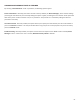
network device, including the Wi-Fi adapter. This can be useful in programming credenals for use in mulple Wi-Fi
environments.
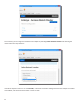
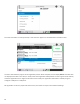
When seng up a Wi-Fi connecon, you can scan for all available Wi-Fi networks using the “” funcon.
Once selected, you can enter in the details for that network, including the network key, if needed.