
Manual

80
Toolbox is anetwork manager that allows for easy network conguraon. Typically you will be using your NX touchscreen
to perform these operaons as described in the secon on page 30, but in some cases, it can be much
easier to use.
You can log into Toolbox either via or through the IP address of the unit with appended to it (e.g.
).
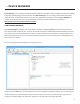
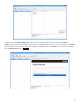
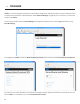
Once logged into Toolbox, choose the opon and then choose .
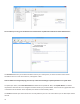
From here, you can select the device you would like to congure and then adjust the parameters for that device. You can
edit the , if it is enabled or not, and the .