
Manual
53
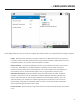
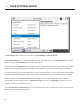
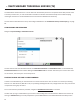
If and
disables or hides most of the screens and sengs that allow unit conguraon, leaving only
the items required for basic operaon. This is defaulted to (all menus are available), but can be changed to
for basic operaon.
allows the built-in help buon to be hidden from the tle bar if desired. You will sll have access to it via a
keypad key, if assigned.
adjusts how sub-items expand/collapse when you click the category item. S is
the default seng. The sub-items will expand and collapse on a single click. You can change it to
or change it to an exclusive opon. If either the or modes are selected, clicking on an
expanded item category will not collapse it.