
Manual

47
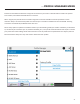
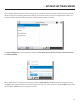
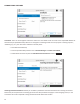
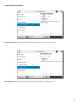
- This seng is available to designate a remote for “always-on” operaon. This is useful in
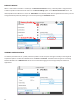
environments where a signal is required to be on 24 hours a day. To assign an “always-on” remote, pull down the menu
and select which remote to designate as “always-on”. A connecon will be made and sustained to the chosen remote.
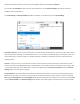
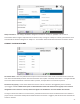
- Alters the performance of output contact closure #4. Under normal circumstances the contact will
close when commanded by the other end of the connecon. If this opon is enabled, that funcon is no longer available.
This contact will be closed when a valid connecon is present, and open when no connecon is present.
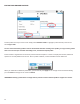
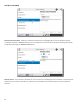
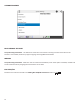
- These choices dene auto connect rules for remotes to be triggered by the four external
input triggers available.
To assign a remote connecon to a contact closure, pull down the menu box next to the desired closure and select the
proper remote. A connecon aempt will be made whenever the contact is triggered, and will disconnect whenever the
contact is released.