
Manual

30
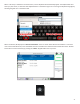
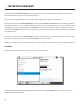
On the le side of the screen, NX presents a list of all network adapters (4G, Wi-Fi, etc.) that have
been aached to NX, along with the internal Ethernet port.
Note that with the CrossLock feature, it’s possible to have mulple acve networks simultaneously.
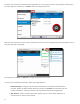
One important element of the is the concept of. A contains the sengs specic to
that network adapter for use on a specic network. Examples are use of the Ethernet port on a range of networks, some
using DHCP and some using stac sengs. Using , each of these can be stored away separately and recalled
when needed. are especially useful on Wi-Fi, since the security parameters of wireless networks can be stored
for subsequent use.
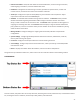
Each network starts o with a “” , which can be edited by the user. Some networks don’t change cong
parameters (e.g. 3G/4G, POTS) so a single default is all that’s required.
Networks fall into four disnct classes: Ethernet, Wi-Fi, 3G/4G, and POTS modem. Each is discussed in greater detail next.
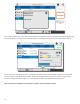
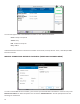
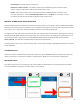
Selecng the built-in Ethernet port shows the current status of the network
The Ethernet port can be disabled/enabled here and congured for mulple from this screen. The internal
Ethernet port cannot be deleted.