
Manual

21
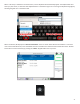
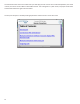
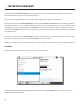
When a text entry is selected on the touchscreen, a virtual keyboard will automacally appear. The keyboard will close
when you press enter, or select the close keyboard buon in the boom right. You can change the keyboard language by
selecng the globe icon in the boom le.
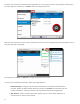
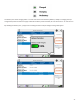
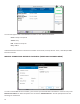
When rst booted, NX displays the “” screen as shown below. Remote Connecons is one of the
main screens available on NX, and is the default because connecons are iniated and terminated from there. Remote
Connecons can be found easily by pressing the “Home” keypad buon from any screen.