
UPS Operation and Reference Guide R6000

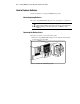
Table Of Contents
- Compaq R6000 Series UPS Operation and Reference Guide
- Notice
- Contents
- About This Guide
- Chapter 1: Introduction
- Chapter 2: Installation
- Chapter 3: Operation
- Chapter 4: Configuration
- Chapter 5: Battery Maintenance
- Chapter 6: Troubleshooting
- Appendix A: Regulatory Compliance Notices
- Appendix B: Electrostatic Discharge
- Appendix C: Specifications
- Index
Battery Maintenance 5-5
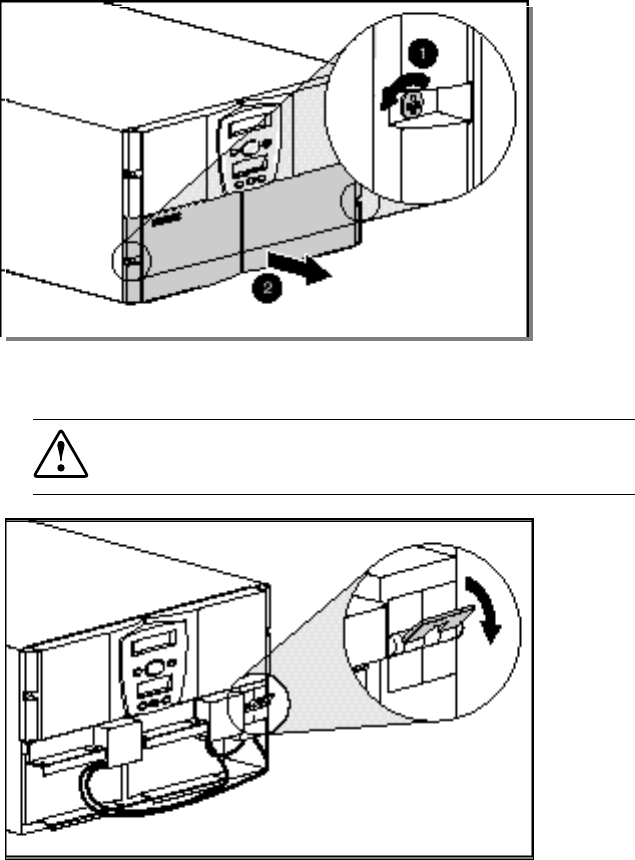
2. Using a Philips screwdriver, remove the lower front bezel by backing
off the captive screws on each side.
Figure 5-2. Removing screws from the lower front bezel
3. Place the battery circuit breaker in the OFF position.
WARNING: To reduce the risk of personal injury, once the bezel is removed, the
battery circuit breakers MUST be in the OFF position before continuing with the
battery replacement.
Figure 5-3. Placing the battery circuit breaker in the OFF position