
UPS Operation and Reference Guide R6000
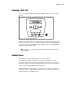
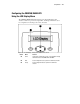
Table Of Contents
- Compaq R6000 Series UPS Operation and Reference Guide
- Notice
- Contents
- About This Guide
- Chapter 1: Introduction
- Chapter 2: Installation
- Chapter 3: Operation
- Chapter 4: Configuration
- Chapter 5: Battery Maintenance
- Chapter 6: Troubleshooting
- Appendix A: Regulatory Compliance Notices
- Appendix B: Electrostatic Discharge
- Appendix C: Specifications
- Index
Chapter 4
Configuration
This chapter contains information on:
■ Changing configuration parameters
■ Using the UPS configuration to match the utility voltage
■ Reading the LCD Display
Changing Configuration Parameters
The Front Panel Controls and LCD display are used to change the UPS
configuration. See the section in this chapter entitled “Configuring the
COMPAQ R6000 UPS Using the LCD Menu,” for configuration instructions.