
UPS Operation and Reference Guide R6000
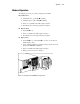
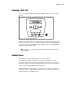
Table Of Contents
- Compaq R6000 Series UPS Operation and Reference Guide
- Notice
- Contents
- About This Guide
- Chapter 1: Introduction
- Chapter 2: Installation
- Chapter 3: Operation
- Chapter 4: Configuration
- Chapter 5: Battery Maintenance
- Chapter 6: Troubleshooting
- Appendix A: Regulatory Compliance Notices
- Appendix B: Electrostatic Discharge
- Appendix C: Specifications
- Index
Operation 3-5
Modes of Operation
The UPS has five modes of operation, indicated by the LEDs:
■ Standby Mode
❏ On Utility Power: green LED 1 is flashing
❏ On Battery Power: yellow LED 2 is blinking.
❏ Power is not available at the UPS output receptacles.
❏ The UPS monitors and charges batteries if required.
■ Operate Mode
❏ Green LED 1 is on.
❏ Power is available at the UPS output receptacles.
❏ The UPS monitors and charges batteries if required.
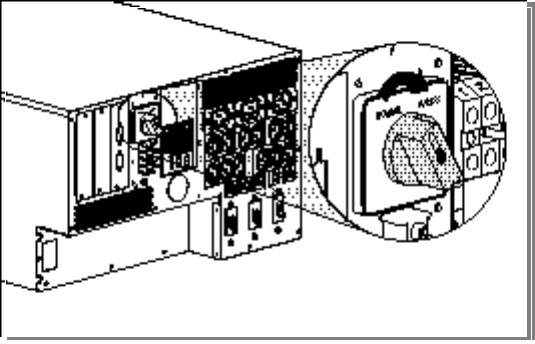
■ Bypass Mode
❏ Green LED 1 is on; yellow LED 3 is on; a five-second interval
audible alarm is active
❏ Can be enabled manually by moving the Bypass switch (on the rear
panel) from NORMAL to BYPASS.
❏ Power is available at the UPS output receptacles.
❏ Batteries are not monitored or charged.
Figure 3-4. Placing the Compaq R6000 UPS in Bypass Mode