
UPS Operation and Reference Guide R6000
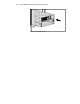
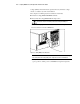

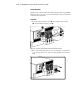
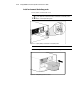
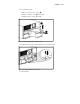
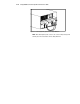
Table Of Contents
- Compaq R6000 Series UPS Operation and Reference Guide
- Notice
- Contents
- About This Guide
- Chapter 1: Introduction
- Chapter 2: Installation
- Chapter 3: Operation
- Chapter 4: Configuration
- Chapter 5: Battery Maintenance
- Chapter 6: Troubleshooting
- Appendix A: Regulatory Compliance Notices
- Appendix B: Electrostatic Discharge
- Appendix C: Specifications
- Index
Installation 2-15
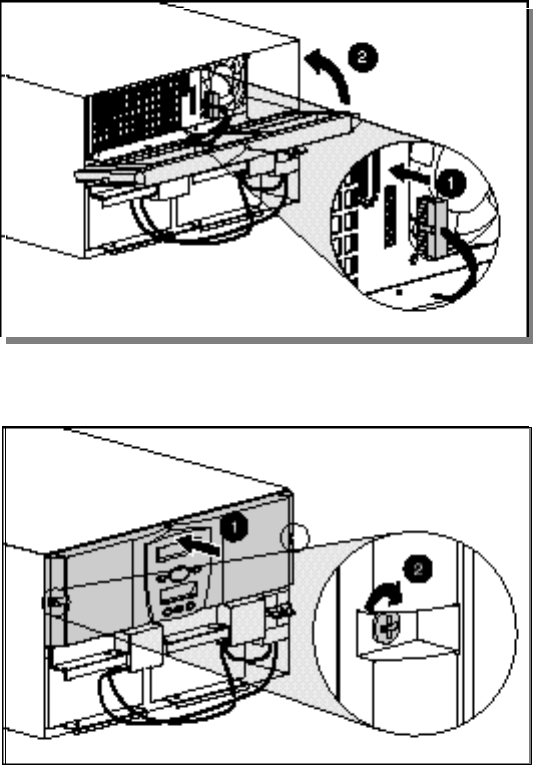
Attaching Front Top Bezel
1. Attach the connectors for the Front Panel to the Electronics Module
receptacles (1).
2. Lift the bezel into place (2).
Figure 2-12. Attaching the top front bezel
3. Secure the bezel to the chassis using the captive screws on each side.
Figure 2-13. Securing the top front bezel to the chassis
NOTE: Leave lower bezel off until wiring and installation is complete.