
UPS Operation and Reference Guide R6000
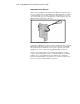
Table Of Contents
- Compaq R6000 Series UPS Operation and Reference Guide
- Notice
- Contents
- About This Guide
- Chapter 1: Introduction
- Chapter 2: Installation
- Chapter 3: Operation
- Chapter 4: Configuration
- Chapter 5: Battery Maintenance
- Chapter 6: Troubleshooting
- Appendix A: Regulatory Compliance Notices
- Appendix B: Electrostatic Discharge
- Appendix C: Specifications
- Index

1-4 Compaq R6000 Series UPS Operation and Reference Guide
Compaq R6000 UPS Features
Numerous features make the Compaq R6000 UPS both versatile and user-
friendly:
■ Two serial communication ports
■ Five independent load segments (including three 16 Amp IEC-320, and
twelve 10 Amp IEC-320 receptacles)
■ Front panel controls and LCD display for easy configuration,
monitoring, and operation
■ Expanded support for Compaq Power Management Software
■ Support for Compaq Extended Runtime Modules, options that extend
the available runtime of the UPS
■ Support for Compaq hardware option cards that further extend the
power management capabilities of the UPS
q Compaq Multi-Server UPS Card
q Compaq Scalable UPS Card
q Compaq SNMP-EN Adapter
■ Support for Remote Emergency Power Off (REPO)
Communication Ports
The Compaq R6000 UPS includes two communications ports (Port 1 and
Port 2) that allow data-exchange with host computers.
The Compaq R6000 UPS uses special DE9 cables for communication with
host computers.
CAUTION: Use only the DE9 cables supplied by Compaq to connect the
communications port to the host computer. Use of standard RS-232 cables may
cause equipment damage.