
Specifications




Removal and replacement procedures 84
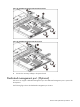
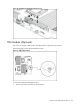
Figure 66 Dedicated management port Location
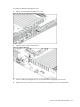
To remove the Dedicated management port:
1. Remove the PCI cage assembly out of the chassis. Refer to the “PCI expansion card” section in
this chapter for detailed procedures.
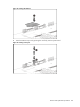
2. Loosen the screw.
3. Pull the dedicated management port upwards, and then remove the dedicated management port
from the dedicated management port connector.
Figure 67 Removing the Dedicated management port