
Specifications




Diagnostic tools and setup utilities 121
Exit menu
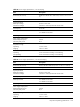
Figure 112 Exit Menu of the BIOS Setup Utility
ROM-based Setup Utility
Main Advanced Boot Security Chipset <Exit>
Exit Options Exit system setup after
saving the changes.
F10 key can be used
for this operation.
Save Changes and Exit
Discard Changes and Exit
Discard Changes
Restore Default Settings
←→ Select Screen
↑↓ Select Item
Enter Go to Sub
Screen
F1 General Help
F10 Save and Exit
ESC Exit
V02.61 (C) Copyright 1985-2006, American Megatrends, Inc.
Use this menu to save changes or discard changes. When you save and exit, the server reboots.
• Save Changes and Exit—Save the changes you have made and exit the BIOS Setup Utility.
• Discard Changes and Exit—Exit the BIOS Setup Utility without saving the changes you have
made.
• Discard Changes—Discard (cancel) any changes you have made. F10 can be used for this
operation. You will remain in the Setup Utility.
• Restore Default Settings—Restore the default settings for all items in the BIOS Setup.