
Specifications



Connectors, switches, and LEDs 108
LED indicators
This section contains illustration and descriptions of internal and external status LED indicators located
on the:
• Front panel
• Optical disk drive
• Hard drive
• Rear panel
• System board
These LED indicators aid in problem diagnosis by indicating the status of system components and
operations of the server.
Front panel LED indicators
The front panel LED indicators allow constant monitoring of basic system functions while the server is
operating.
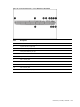
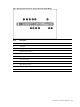
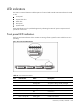
Figure 102 Front Panel LED Indicators
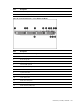
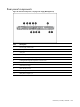
Table 16
Front Panel LED Indicators
Item LED indicator Status Description
1 Front UID LED/switch Steady blue Identification
Flashing blue The system is being remotely managed
Off
No identification
2 System health LED Steady green Healthy
Red Critical error
Amber Non-critical error
3 NIC 1 activity LED Steady green Linked to the network