User's Manual
Manuals
Brands
Compaq Manuals
laptops
Compaq Notebook Series 383161-001
131
132
133
134
135
136
137
138
139
140
Hard
w
ar
e Upgrade
s and Replacemen
ts
Hard
war
e and So
ftwar
e Guide
7–17
5.
T
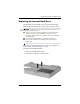
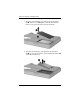
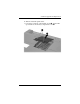
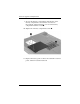
o insert the replacement hard driv
e, tilt the connector edge
of the hard dri
ve
1
do
wnw
ard, and then lo
wer the hard dri
ve
into the hard dri
ve bay until it is seated
2
.
1
...
...
131
132
133
134
135
...
...
170