
User guide




. . . . . . . . . . . . . . . . . . . . . . . . . . . . .
2-1
Compaq Netelligent 1016 10Base-T Unmanaged Repeater User Guide
Writer: Liz Fischer Project: Media Expansion Options Comments: 268749-001
File Name:749_2.doc Last Saved On:6/19/96 11:07 AM
Chapter 2
Media Expansion Options
The repeater contains a Media Expansion Port (MEP) that gives you the option
of installing one of several Alternate Media Connectors (AMCs) to expand the
network to other media. Each connector is sold separately. This chapter
describes these connectors and how to install each.
Alternate Media Connectors
You can use the following AMCs with the repeater:
■
AUI wiring for DB-15 Thicknet backbone (Part Number 267063-001)
■
BNC for Thinnet backbone (Part Number 267064-001)
■
Fiber 10Base-FL backbone (Part Number 267065-001)
These are shown in Figure 2-1:
AUI ConnectorBNC Connector
(Thinnet)
Fiber Connector
(10Base-FL)
TXRX
Figure 2-1. Alternate Media Connectors
Installing a BNC Alternate Media Connector
To connect the repeater to a Thinnet backbone, use a BNC connector. If you
install a BNC connector but do not physically connect a cable to it, be sure to
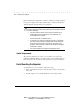
disable the port by setting the jumper on the connector board. Figure 2-2 shows
the jumper settings on the board.
You can also use an external terminator on this port. If you use a terminator, set
the jumper to ON so that you can make connections to this port later.