
Personal Computer Reference Guide
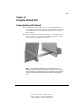
Table Of Contents
- Notice
- Contents
- About This Guide
- Getting Started
- Taking a Look at the Computer
- Using the Keyboard
- Managing Power
- Upgrading Your Computer
- Mobile Expansion Unit (available on select models)
- Using an Internal Modem (available on select models
- Using PC Cards
- Using Audio Features
- Using the Infrared Port
- Securing the Computer
- Intelligent Manageability
- Maintenance, Shipping, and and Travel
- Configuration and Diagnostic Utilities
- Troubleshooting
- Compaq Customer Support
- Regulatory Notices
- Electrostatic Discharge
- Specifications
- Index

10-1
Writer: Carey Gregg Project: Comments: 113733-001
File Name: K-CH10.doc Last Saved On: 4/1/99 10:25 AM
COMPAQ CONFIDENTIAL - NEED TO KNOW REQUIRED
Chapter 10
Using the Infrared Port
Communicating with Infrared
■ If the computer is running Windows 98 or a preinstalled Windows 95
operating system, the computer is IrDA-compliant (4Mbps standard) and
can communicate with any another infrared-equipped device that is also
IrDA-compliant.
■ Infrared communication is supported by Windows 95 and Windows 98.
To operate infrared on computers running Windows NT 4.0, you will
need to purchase optional third-party software.
NOTE: The infrared port supports both low speed connections up to
115 kilobits per second (Kbps) and high speed connections up to 4 megabits
per second (Mbps). Infrared performance may vary depending on performance
of infrared peripherals, distance between infrared devices, and applications
used.