
Personal Computer Reference Guide
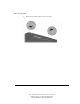
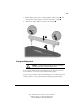
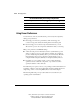
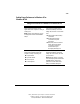
Table Of Contents
- Notice
- Contents
- About This Guide
- Getting Started
- Taking a Look at the Computer
- Using the Keyboard
- Managing Power
- Upgrading Your Computer
- Mobile Expansion Unit (available on select models)
- Using an Internal Modem (available on select models
- Using PC Cards
- Using Audio Features
- Using the Infrared Port
- Securing the Computer
- Intelligent Manageability
- Maintenance, Shipping, and and Travel
- Configuration and Diagnostic Utilities
- Troubleshooting
- Compaq Customer Support
- Regulatory Notices
- Electrostatic Discharge
- Specifications
- Index

4-17
Writer: J Abercrombie Project: Chapter 4 Comments: 113733-001
File Name: E-CH04.doc Last Saved On: 5/18/99 2:44 PM
COMPAQ CONFIDENTIAL - NEED TO KNOW REQUIRED
4. Push the battery pack onto the computer until the contacts connect , and
rotate the battery pack 90 degrees toward the back of the computer
.
5. Slide the two battery latches out (away from each other)
.
Storing the Battery Pack
CAUTION: To prevent damage to a battery pack, do not expose
it to high temperatures for extended periods of time.
If the computer will be unused and unplugged from an external power source
for more than two weeks, remove and store the battery pack(s).
Proper storage procedures reduce the self-discharge rate of a battery pack. Store
a battery pack in a cool, dry place within the following temperature ranges.