
Personal Computer Reference Guide
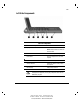
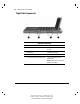
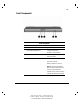
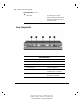
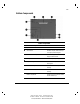
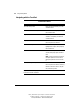
Table Of Contents
- Notice
- Contents
- About This Guide
- Getting Started
- Taking a Look at the Computer
- Using the Keyboard
- Managing Power
- Upgrading Your Computer
- Mobile Expansion Unit (available on select models)
- Using an Internal Modem (available on select models
- Using PC Cards
- Using Audio Features
- Using the Infrared Port
- Securing the Computer
- Intelligent Manageability
- Maintenance, Shipping, and and Travel
- Configuration and Diagnostic Utilities
- Troubleshooting
- Compaq Customer Support
- Regulatory Notices
- Electrostatic Discharge
- Specifications
- Index

2-3
Writer: Carey Gregg Project: Comments: 113733-001
File Name: C-CH02.doc Last Saved On: 4/23/99 10:36 AM
COMPAQ CONFIDENTIAL - NEED TO KNOW REQUIRED
Left Side Components
Left Side Components
Component Function
RJ-45 jack* Connects the network cable.
NOTE: A network cable is included with
network models.
Power connector Connects the AC power adapter.
Power button Turns the computer on or off or exits
Suspend.
Vents Cools internal components.
Security cable slot Attaches an optional security cable to
the computer.
Hard drive bay Holds primary hard drive.
*WARNING: To reduce the risk of electric shock, fire, or
damage to the equipment, do not plug a telephone cable into the
Ethernet RJ-45 jack.