
Personal Computer Reference Guide
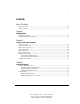
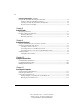
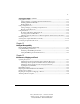
Table Of Contents
- Notice
- Contents
- About This Guide
- Getting Started
- Taking a Look at the Computer
- Using the Keyboard
- Managing Power
- Upgrading Your Computer
- Mobile Expansion Unit (available on select models)
- Using an Internal Modem (available on select models
- Using PC Cards
- Using Audio Features
- Using the Infrared Port
- Securing the Computer
- Intelligent Manageability
- Maintenance, Shipping, and and Travel
- Configuration and Diagnostic Utilities
- Troubleshooting
- Compaq Customer Support
- Regulatory Notices
- Electrostatic Discharge
- Specifications
- Index

Writer: JAbercrombie Saved by: JAbercrombie Saved date: 04/06/99 10:15 AM
Part Number: File name: 75x9survey
D
OCUMENTATION
S
URVEY
Thank you for choosing Compaq!
Please help us provide quality support information by completing and
returning this postage-paid questionnaire.
1. Were you able to set up the computer using the setup poster?
❏ Yes ❏ No If not, at what point did you begin to have difficulty?
2. Was the Quick Reference Guide preinstalled on your computer easy to find? ❏ Yes ❏ No
Is it easy to use? ❏ Yes ❏ No If not, why?
3. What computer task(s) will you need the most help with?
4. If you need help with a computer task, where will you get it?
5. Which do you prefer?
❏ Quick Reference Guide preinstalled on computer
❏ Printed Reference Guide ❏ Both
Why?
6. In addition to a printed Reference Guide, how else would you prefer to receive your
information?
Rank 1 to 4 (1 is most preferred)
Preinstalled on computer
On CD-ROM
On Compaq web site
None of above
Additional Documentation Comments:
Note: For comments not related to documentation, call
1-800-345-1518 (U.S.) or 1-800-567-1616 (Canada).
Name
Occupation
Company Phone No.
Street Address
City State Zip