
Personal Computer Reference Guide
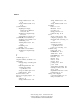
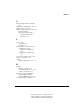
Table Of Contents
- Notice
- Contents
- About This Guide
- Getting Started
- Taking a Look at the Computer
- Using the Keyboard
- Managing Power
- Upgrading Your Computer
- Mobile Expansion Unit (available on select models)
- Using an Internal Modem (available on select models
- Using PC Cards
- Using Audio Features
- Using the Infrared Port
- Securing the Computer
- Intelligent Manageability
- Maintenance, Shipping, and and Travel
- Configuration and Diagnostic Utilities
- Troubleshooting
- Compaq Customer Support
- Regulatory Notices
- Electrostatic Discharge
- Specifications
- Index

Index
-
13
Writer: Carey Gregg Project: Comments: 113733-001
File Name: U-INDX.doc Last Saved On: 4/1/99 4:00 PM
COMPAQ CONFIDENTIAL - NEED TO KNOW REQUIRED
U
ultraviolet light, affecting computer
13-5
USB (Universal Serial Bus) 2-6, 3-3
USB connector 2-6, D-2
utilities, configuration, diagnostic, and
system information,
selecting Computer Setup or
Compaq Diagnostics for
Windows 14-1
V
vents 15-22
air exhaust 2-4
air intake 2-4
version number of system software
displaying in Compaq
Diagnostics for Windows
14-6
displaying in Computer Setup
13-2
video card in expansion base 14-6
voltage converter kit 13-7
volume
adjusting with hotkeys 3-5, 9-5
W
warning
cleaning computer 13-5
internal compartments 5-2, 13-4
voltage converter kit 13-7
Windows 98 power management
software (APM or ACPI)
using an APM battery pack 4-8
worldwide telephone numbers A-3