
Personal Computer Reference Guide
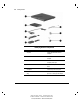
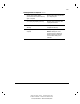
Table Of Contents
- Notice
- Contents
- About This Guide
- Getting Started
- Taking a Look at the Computer
- Using the Keyboard
- Managing Power
- Upgrading Your Computer
- Mobile Expansion Unit (available on select models)
- Using an Internal Modem (available on select models
- Using PC Cards
- Using Audio Features
- Using the Infrared Port
- Securing the Computer
- Intelligent Manageability
- Maintenance, Shipping, and and Travel
- Configuration and Diagnostic Utilities
- Troubleshooting
- Compaq Customer Support
- Regulatory Notices
- Electrostatic Discharge
- Specifications
- Index

1-3
Writer: Carey Gregg Project: Comments: 113733-001
File Name: B-CH01.doc Last Saved On: 5/18/99 2:36 PM
COMPAQ CONFIDENTIAL - NEED TO KNOW REQUIRED
Identifying Hardware Components
Continued
Country-specific modem adapter
(provided with internal modem models by
region as required)
Adapts modem cable for use with non-
RJ-11 telephone jacks.
3-to-2-prong plug adapter (Japan only) Adapts the power cord for use with a
2-prong electrical outlet.
Hard drive (inserted in computer hard
drive bay)
Primary hard drive when used in
computer hard drive bay.
Battery pack (installed on rear of
computer)
Primary battery pack.
NOTE: The battery pack can be
charged and used as shipped, but
battery charge displays will not be
accurate until the battery pack is
calibrated.