
Personal Computer Reference Guide
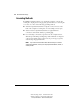
Table Of Contents
- Notice
- Contents
- About This Guide
- Getting Started
- Taking a Look at the Computer
- Using the Keyboard
- Managing Power
- Upgrading Your Computer
- Mobile Expansion Unit (available on select models)
- Using an Internal Modem (available on select models
- Using PC Cards
- Using Audio Features
- Using the Infrared Port
- Securing the Computer
- Intelligent Manageability
- Maintenance, Shipping, and and Travel
- Configuration and Diagnostic Utilities
- Troubleshooting
- Compaq Customer Support
- Regulatory Notices
- Electrostatic Discharge
- Specifications
- Index

C-2 Electrostatic Discharge
Writer: Carey Gregg Project: Comments: 113733-001
File Name: S-APPC.doc Last Saved On: 4/1/99 9:27 AM
COMPAQ CONFIDENTIAL - NEED TO KNOW REQUIRED
Grounding Methods
If installation instructions direct you to unplug the computer or an optional
docking base, unplug it after being properly grounded and before removing the
cover. Use one or more of the following grounding methods.
■ Touch the unpainted metal surface or lug nuts on the connectors on the
back of the computer or docking base. Avoid touching connector pins.
■ Touch an exterior unpainted metal surface of equipment that is
connected to an electrical outlet by a grounding plug.
■ Use a wrist strap connected by a ground cord to the computer chassis.
Wrist straps are flexible grounding straps with a minimum of 1 megohm
± 10 percent resistance in the ground cords. To provide proper ground,
wear the strap snug against the skin.
NOTE: If you need more information about static electricity or assistance
with product installation, contact your Compaq authorized dealer, reseller, or
service provider.