
Personal Computer Reference Guide
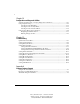
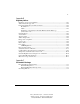
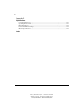
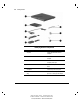
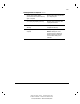
Table Of Contents
- Notice
- Contents
- About This Guide
- Getting Started
- Taking a Look at the Computer
- Using the Keyboard
- Managing Power
- Upgrading Your Computer
- Mobile Expansion Unit (available on select models)
- Using an Internal Modem (available on select models
- Using PC Cards
- Using Audio Features
- Using the Infrared Port
- Securing the Computer
- Intelligent Manageability
- Maintenance, Shipping, and and Travel
- Configuration and Diagnostic Utilities
- Troubleshooting
- Compaq Customer Support
- Regulatory Notices
- Electrostatic Discharge
- Specifications
- Index

1-1
Writer: Carey Gregg Project: Comments: 113733-001
File Name: B-CH01.doc Last Saved On: 5/18/99 2:36 PM
COMPAQ CONFIDENTIAL - NEED TO KNOW REQUIRED
Chapter 1
Getting Started
Finding Information
■ For setup instructions, refer to the setup card included with the
computer.
■ To access the online Quick Reference to the computer
❏ Select the Armada Quick Reference icon on the desktop, or
❏ Select StartÅCompaq Information CenterÅArmada
Quick Reference.
■ To access additional information about the computer
❏ Select StartÅCompaq Information Center.
❏ Go to the Compaq Internet site at http://www.compaq.com.
■ To contact Compaq customer support, refer to Appendix A in this
Reference Guide.
Identifying Packing Box Contents
The contents of the packing box vary by geographic region and by the computer
hardware configuration ordered.
The following picture and component list identify the standard components
included with most computer models. As you unpack the box, make sure you
have received all the standard and optional components you ordered.