
Personal Computer Reference Guide
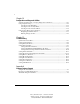
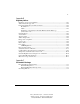
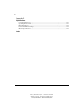
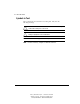
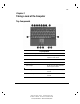
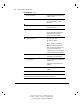
Table Of Contents
- Notice
- Contents
- About This Guide
- Getting Started
- Taking a Look at the Computer
- Using the Keyboard
- Managing Power
- Upgrading Your Computer
- Mobile Expansion Unit (available on select models)
- Using an Internal Modem (available on select models
- Using PC Cards
- Using Audio Features
- Using the Infrared Port
- Securing the Computer
- Intelligent Manageability
- Maintenance, Shipping, and and Travel
- Configuration and Diagnostic Utilities
- Troubleshooting
- Compaq Customer Support
- Regulatory Notices
- Electrostatic Discharge
- Specifications
- Index

xiv About This Guide
Writer: J Abercrombie Project: Comments: 113733-001
File Name: A-Frnt.doc Last Saved On: 4/19/99 3:35 PM
COMPAQ CONFIDENTIAL - NEED TO KNOW REQUIRED
Symbols in Text
These symbols may be found in the text of this guide. They have the
following meanings.
!
WARNING: Indicates that failure to follow directions in the warning
could result in bodily harm or loss of life.
CAUTION: Indicates that failure to follow directions could result in
damage to equipment or loss of information.
IMPORTANT: Presents clarifying information or specific instructions.
NOTE: Presents commentary, sidelights, or additional information.