
Personal Computer Reference Guide
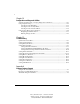
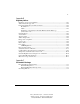
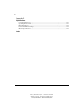
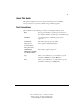
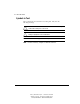
Table Of Contents
- Notice
- Contents
- About This Guide
- Getting Started
- Taking a Look at the Computer
- Using the Keyboard
- Managing Power
- Upgrading Your Computer
- Mobile Expansion Unit (available on select models)
- Using an Internal Modem (available on select models
- Using PC Cards
- Using Audio Features
- Using the Infrared Port
- Securing the Computer
- Intelligent Manageability
- Maintenance, Shipping, and and Travel
- Configuration and Diagnostic Utilities
- Troubleshooting
- Compaq Customer Support
- Regulatory Notices
- Electrostatic Discharge
- Specifications
- Index

xiii
Writer: J Abercrombie Project: Comments: 113733-001
File Name: A-Frnt.doc Last Saved On: 4/19/99 3:35 PM
COMPAQ CONFIDENTIAL - NEED TO KNOW REQUIRED
About This Guide
This guide is designed to be used as step-by-step instructions for installation,
and as a reference for operation, troubleshooting, and future upgrades.
Text Conventions
This document uses the following conventions to distinguish elements of text:
Keys Keys appear in boldface. A plus sign (+) between two
keys indicates that they should be pressed simultaneously.
USER INPUT User input appears in a different typeface and in
uppercase.
FILENAMES File names appear in uppercase italics.
Menu Options,
Command Names,
Dialog Box Names
These appear in initial capital letters.
COMMANDS,
DIRECTORY NAMES,
and DRIVE NAMES
These always appear in uppercase.
Type When you are instructed to type information, type the
information without pressing the Enter key.
Enter When you are instructed to enter information, type the
information and then press the Enter key.