
Personal Computer Reference Guide
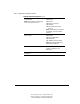
Table Of Contents
- Notice
- Contents
- About This Guide
- Getting Started
- Taking a Look at the Computer
- Using the Keyboard
- Managing Power
- Upgrading Your Computer
- Mobile Expansion Unit (available on select models)
- Using an Internal Modem (available on select models
- Using PC Cards
- Using Audio Features
- Using the Infrared Port
- Securing the Computer
- Intelligent Manageability
- Maintenance, Shipping, and and Travel
- Configuration and Diagnostic Utilities
- Troubleshooting
- Compaq Customer Support
- Regulatory Notices
- Electrostatic Discharge
- Specifications
- Index

14-5
Writer: Carey Gregg Project: Comments: 113733-001
File Name: O-CH14.doc Last Saved On: 4/1/99 3:28 PM
COMPAQ CONFIDENTIAL - NEED TO KNOW REQUIRED
Selecting from the Advanced Menu
Selecting from the Advanced Menu
Begin here To do this
Language (or press F2) Change the Computer Setup language.
Boot Options Enable/disable
■ QuickBoot, which starts the
computer more quickly by
eliminating some startup tests. (If
you suspect a memory failure and
want to test memory automatically
during startup, you may want to
disable QuickBoot.)
■ MultiBoot, which enables you to
set a startup sequence that can
include any drives and PCI
network adapters in the system.
For instructions, refer to
“Changing the Startup Sequence
with MultiBoot” in Chapter 5.
Continued